Template name
Creative portfolio boilerplate built with Next.js. SEO-optimized, accessible, responsive. Includes projects, blog and gallery.
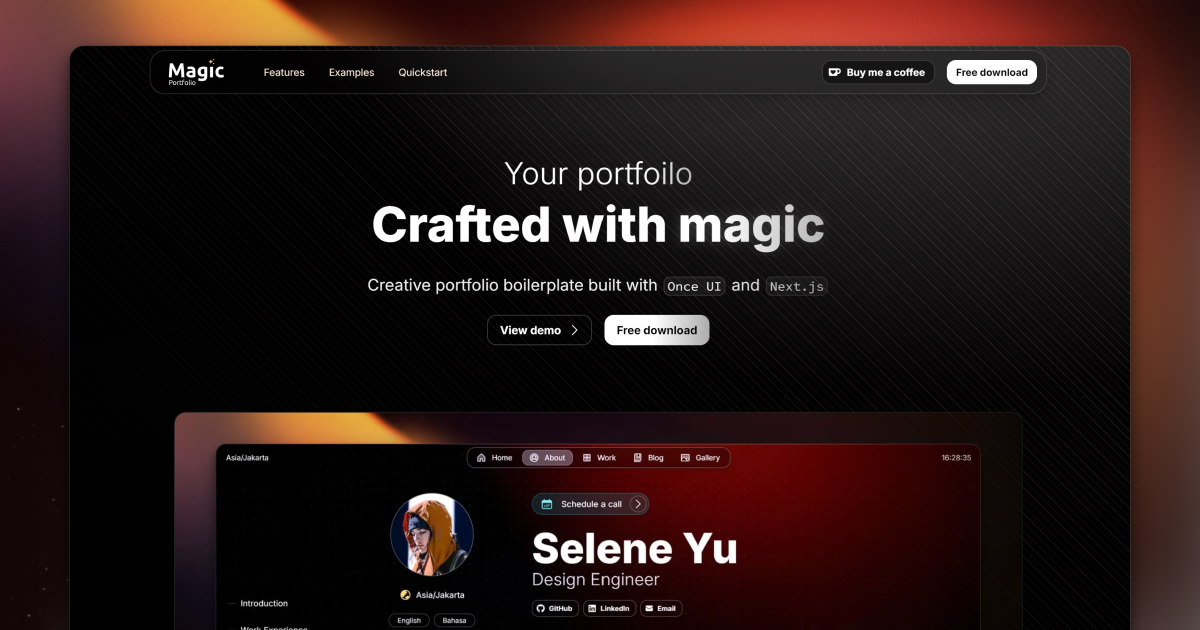
Magic Portfolio is a simple, clean, beginner-friendly portfolio template. It supports an MDX-based content system for projects and blog posts, an about / CV page and a gallery.
View the demo here.
Launch your portfolio on Aveiro, our managed publishing platform. Update case studies, blog posts and content through MCP from your favorite AI tools.
1. Clone the repository
git clone https://github.com/once-ui-system/magic-portfolio.git2. Install dependencies
npm install3. Run dev server
npm run dev4. Edit config
src/resources/once-ui.config.ts5. Edit content
src/resources/content.tsx6. Create blog posts / projects
Add a new .mdx file to src/app/blog/posts or src/app/work/projectsList the paths in protectedRoutes in src/resources/once-ui.config.ts, then set these environment variables (see .env.example):
| Variable | |
|---|---|
PAGE_ACCESS_PASSWORD | The password visitors enter. |
PAGE_ACCESS_SECRET | A long random string (for example openssl rand -base64 32) that signs the access cookie. Recommended; without it a key derived from the password is used, so changing the password signs everyone out. |
Protection runs on the server: src/proxy.ts and the blog and work pages check the signed, HttpOnly cookie that /api/authenticate sets (valid for one hour), so a protected page's content is never sent without the password. Password attempts are rate limited per visitor. The page's title, summary and cover still appear in project and post lists.
Magic Portfolio was built with Once UI for Next.js. It requires Node.js 20.9 or later.
Docs available at: docs.once-ui.com
/api/rss$$ signs, rendered with KaTeXaveiroEmbedId in src/resources/once-ui.config.tslocalization-(Once-UI-0.4.2) branchLorant One: /
Distributed under the CC BY-NC 4.0 License.
See LICENSE for more information.